Articles in this section

What is eyesaver and how do I program it?

When mounted horizontally the Cobber can cause a slight distraction for the rider due to the lights beam  angle. However, this issue can easily be rectified via the use of "eyesaver" modes.

Eyesaver modes will disable 1/3 of the light beam to reduce area and angle of the light’s LED. In order to enable this mode, the light must be programmed using Modemaker with modes starting with ‘es’ (as in the image below):
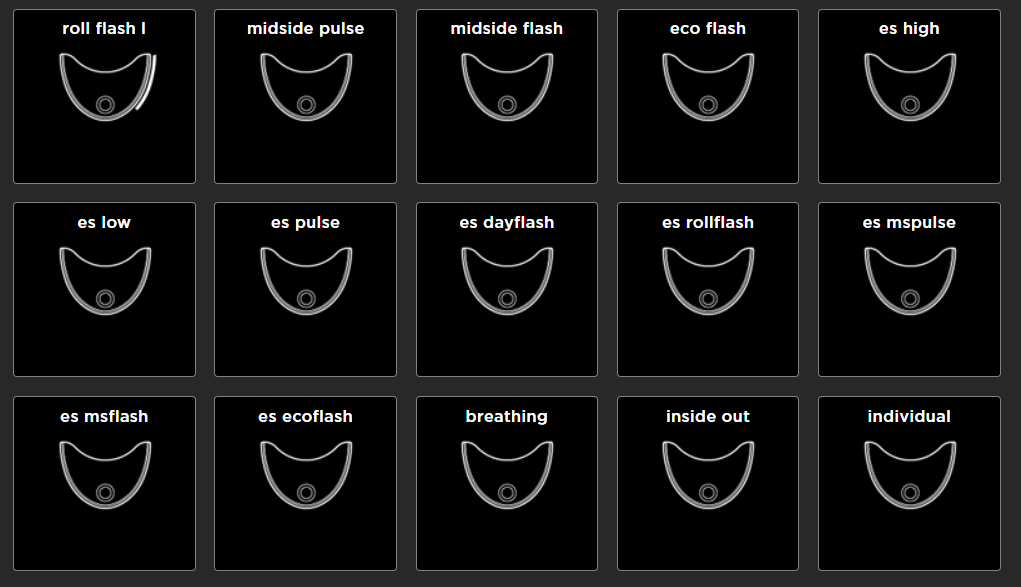
mceclip0.png

You will need to delete default modes in order to program eyesaver modes as the light has a finite amount of memory.

To install Modemaker, head here

Was this article helpful?
4 out of 8 found this helpful

  • Send us a message

    Can't find the answer to your question here? Submit a request and our dedicated customer service team will be happy to help.

  • Our customer service hours:

    8:00am - 5:00pm AEST Monday to Thursday. Our customer service team is based in Melbourne, Australia.

  • Follow us on Instagram

    Tag @knog & #knog so we can check out your adventures!

  • Join our mailing list

    Be the first to hear about new products & offers. You'll also receive a discount on your first order with us! Look for the subscribe button at the bottom of the home page of our website.